

Introducing the Alium Chrome Extension
Now you can get honest, in-depth insights into how technology performs in real-world business scenarios, right in your browser. Simply install our new Chrome extension.
Use the extension to:
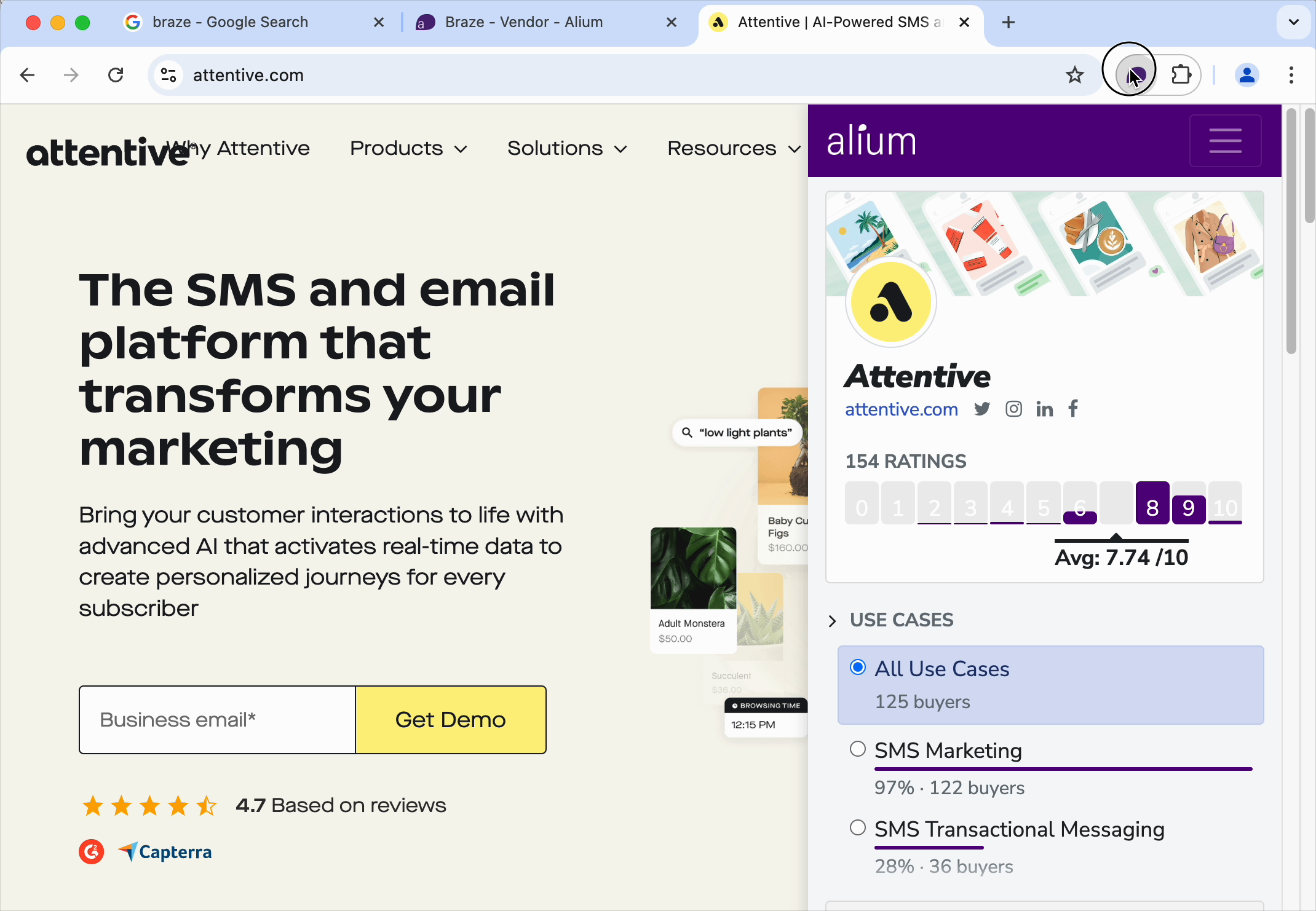
Instantly see what your peers are saying about technology while browsing vendor sites
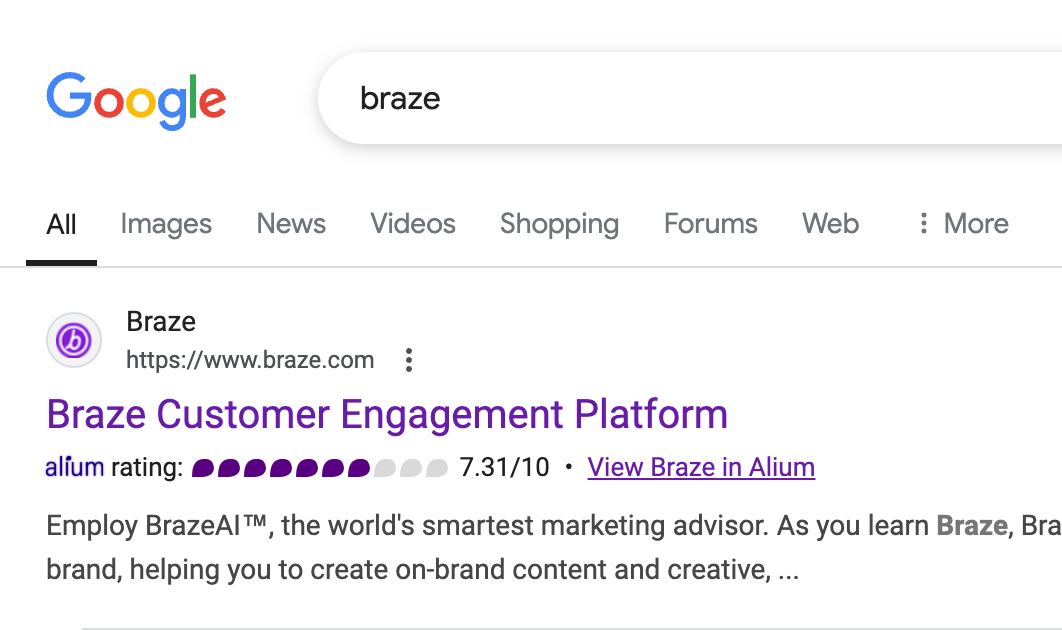
Get Alium satisfaction scores right in your Google search results
Do in-depth vendor research without logging into the Alium platform
(Be sure to pin the extension to your browser.)
Two ways to use the Alium Chrome extension:
Do a Google search for a vendor. In the search results the vendor’s Alium satisfaction score will be displayed with a link to see the vendor’s full profile. Click “View Vendor Name in Alium” for more detail.
Head to a vendor’s website you’re investigating. If the vendor has an Alium profile, the Alium icon in the upper right corner of your Chrome browser will turn purple. (If there are no results it will remain gray.)
How Alium members are using the Chrome extension during the RFP process
Comparing vendors’ Alium Satisfaction Score to identify vendors to include on RFP.
Easily finding vetted and required “outside opinions” for executive teams.
Creating in-depth vendor questionnaires based on common issues experienced by other Alium members.
This extension is exclusive to members of the Alium network. If you’d like to access it please apply to Alium here. If you are already a member and want to share it with a colleague, please share your unique referral link or request a new one.
For support contact research@alium.io.